Development build · November 15, 2026
Inside Omnis Helix Studio
Native Windows captures of sequence comparison, human review and exploratory simulation workflows. Select an image to see the full view.
These screens use demonstration inputs. Model warnings remain visible; screenshots do not establish predictive calibration or biological validation. Features may differ from published installers.
What each view shows
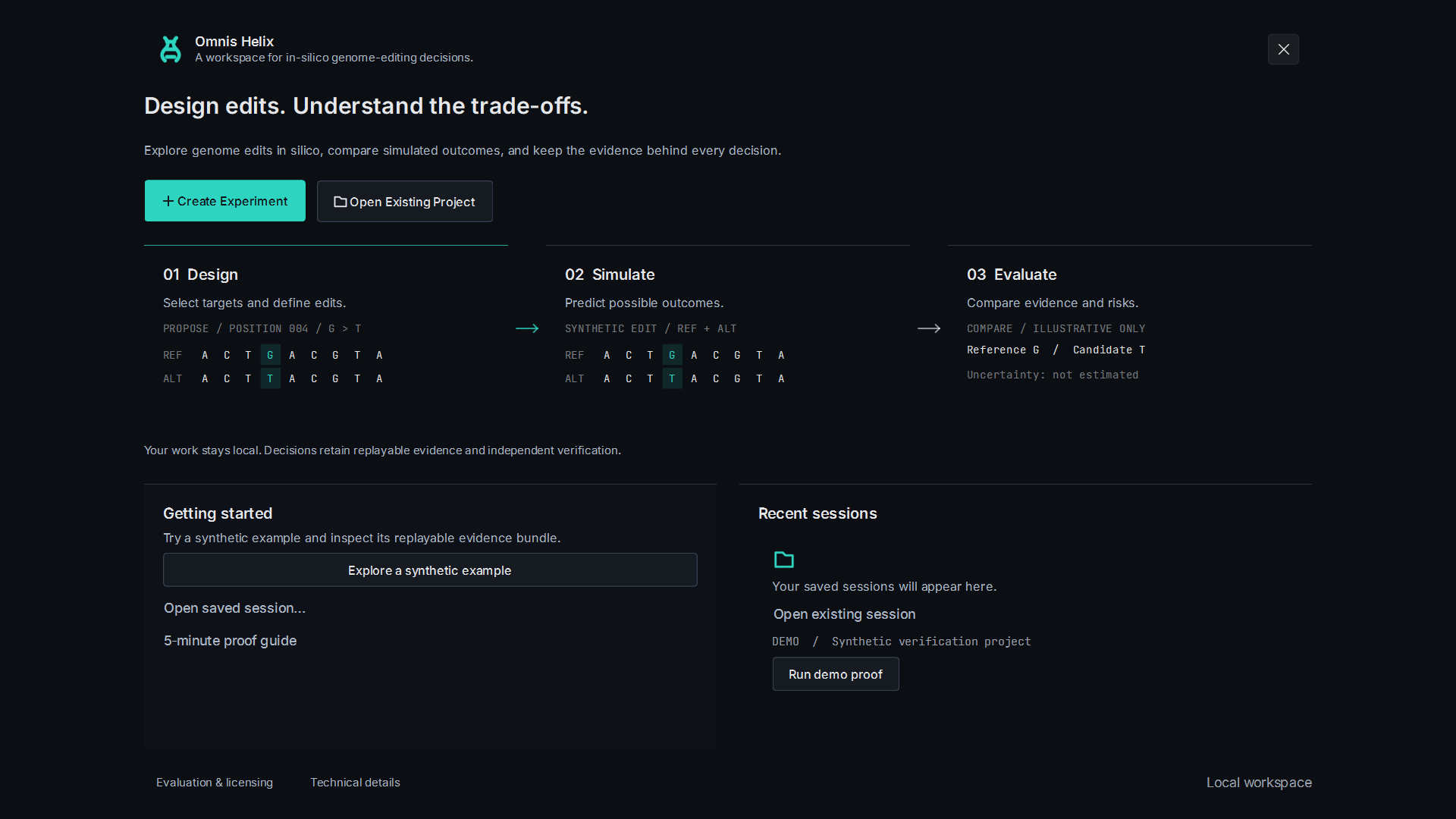
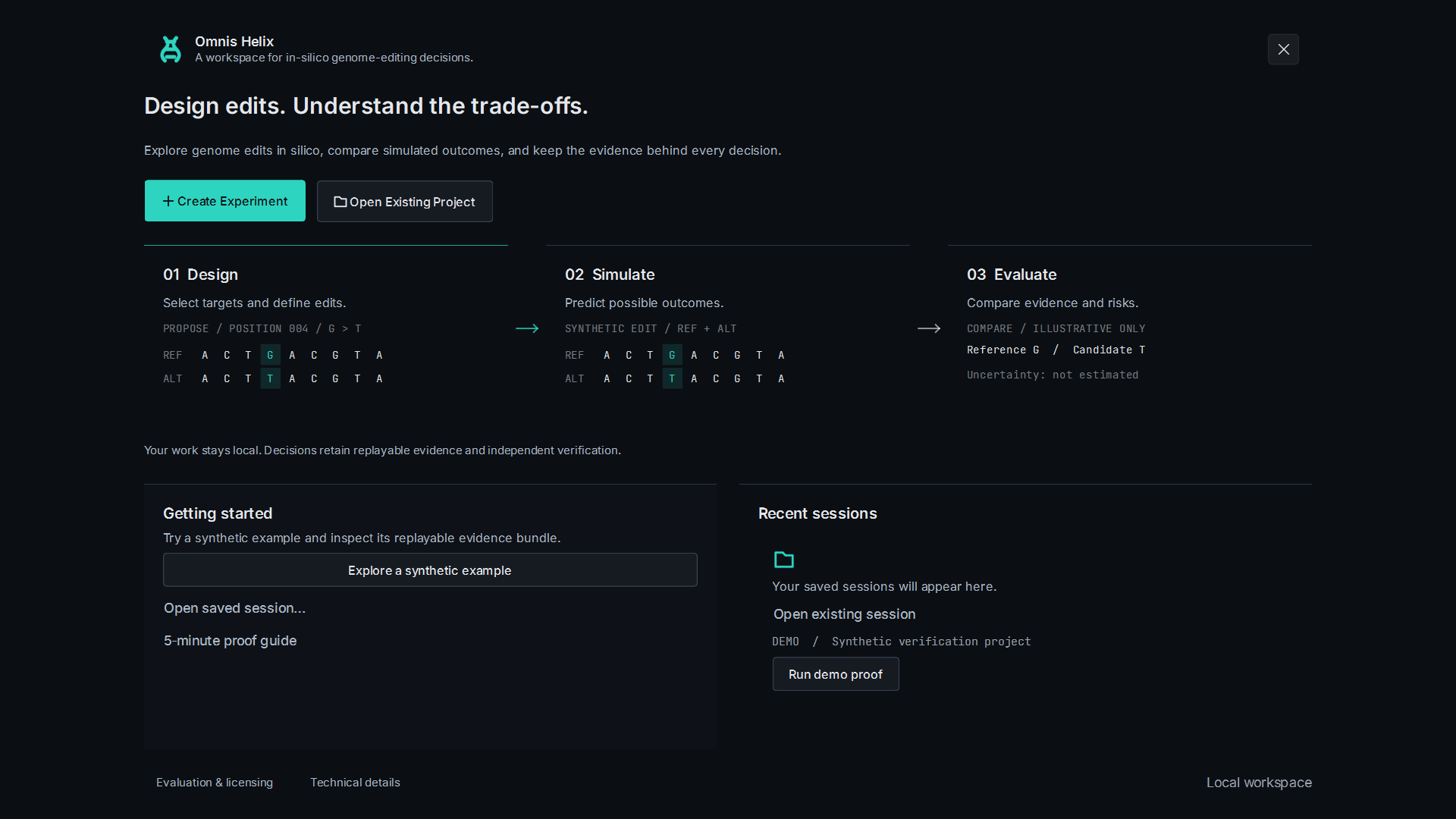
Start a Studio workspace
The current Studio welcome screen introduces Design, Simulate and Evaluate, with project and synthetic-example actions.
PNG original · Lossless WebP · 1920 × 1080
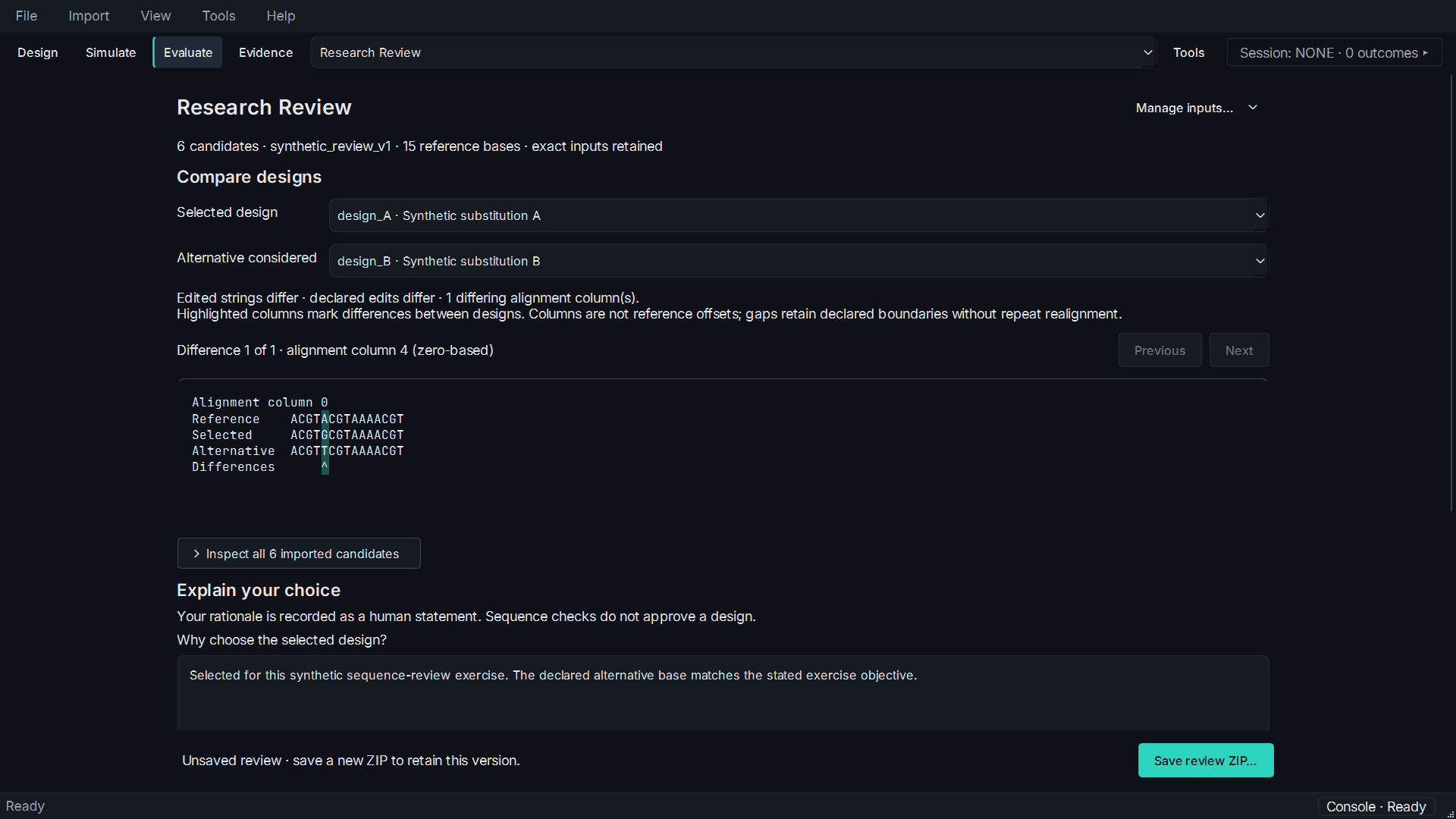
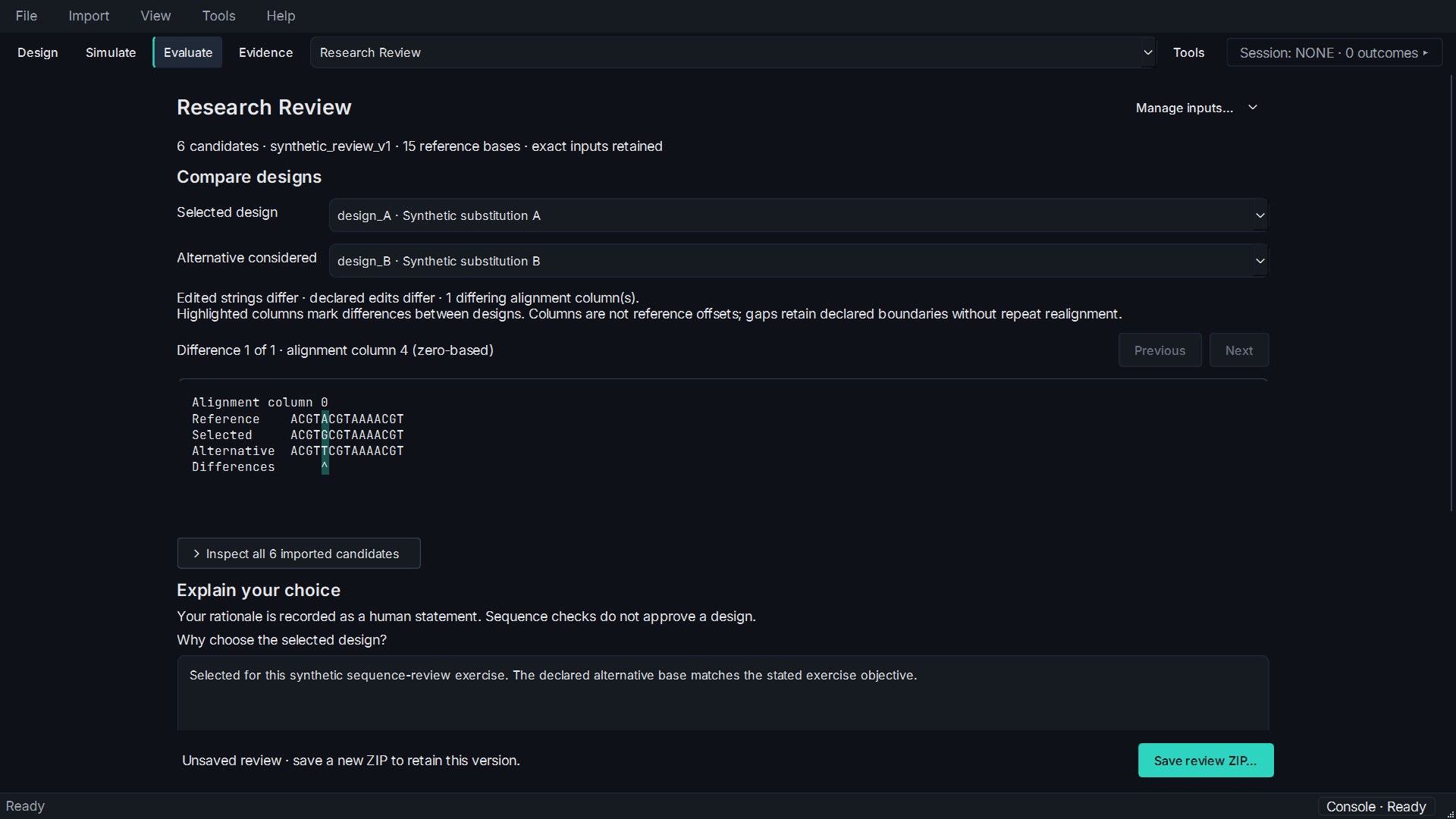
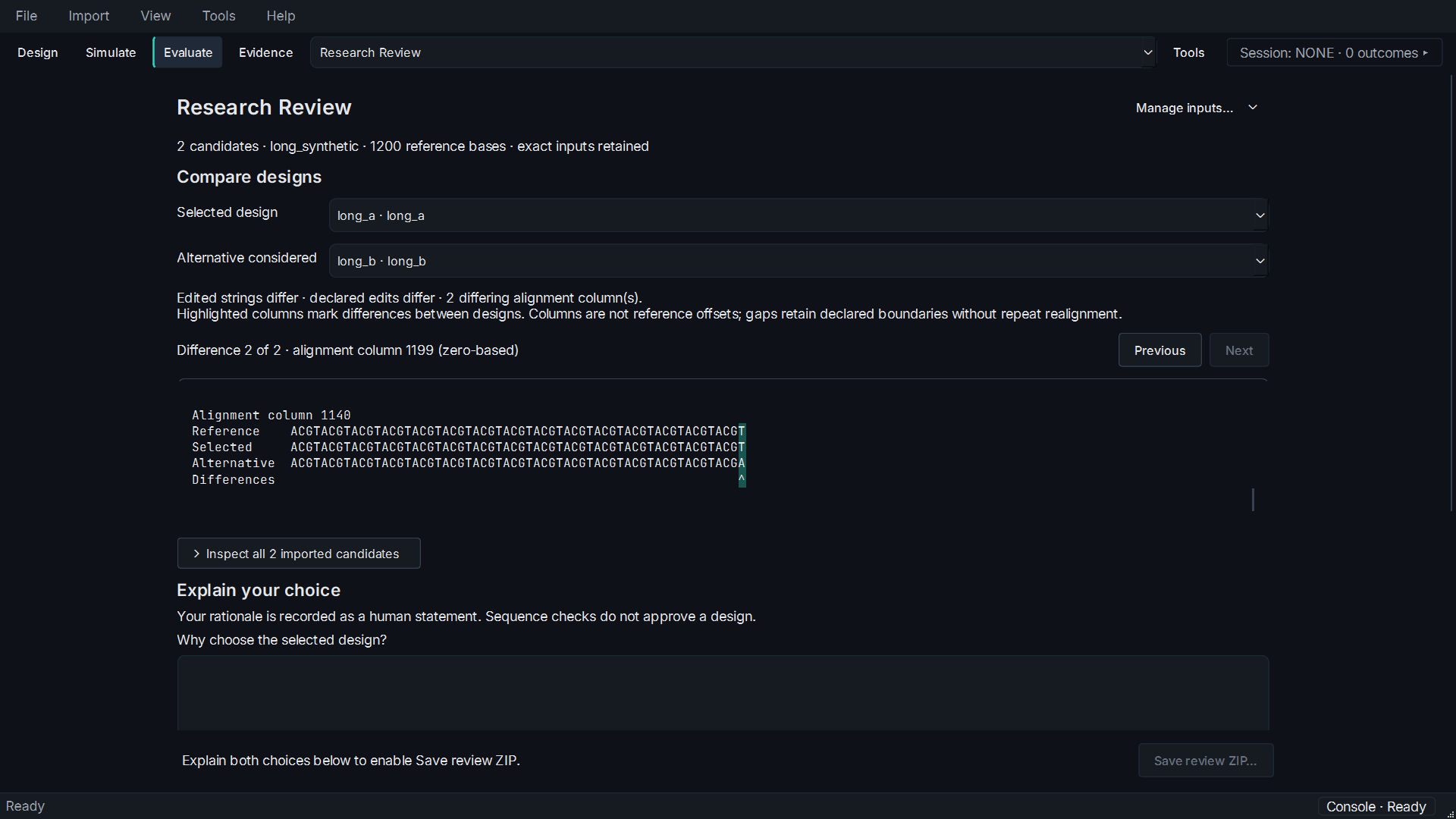
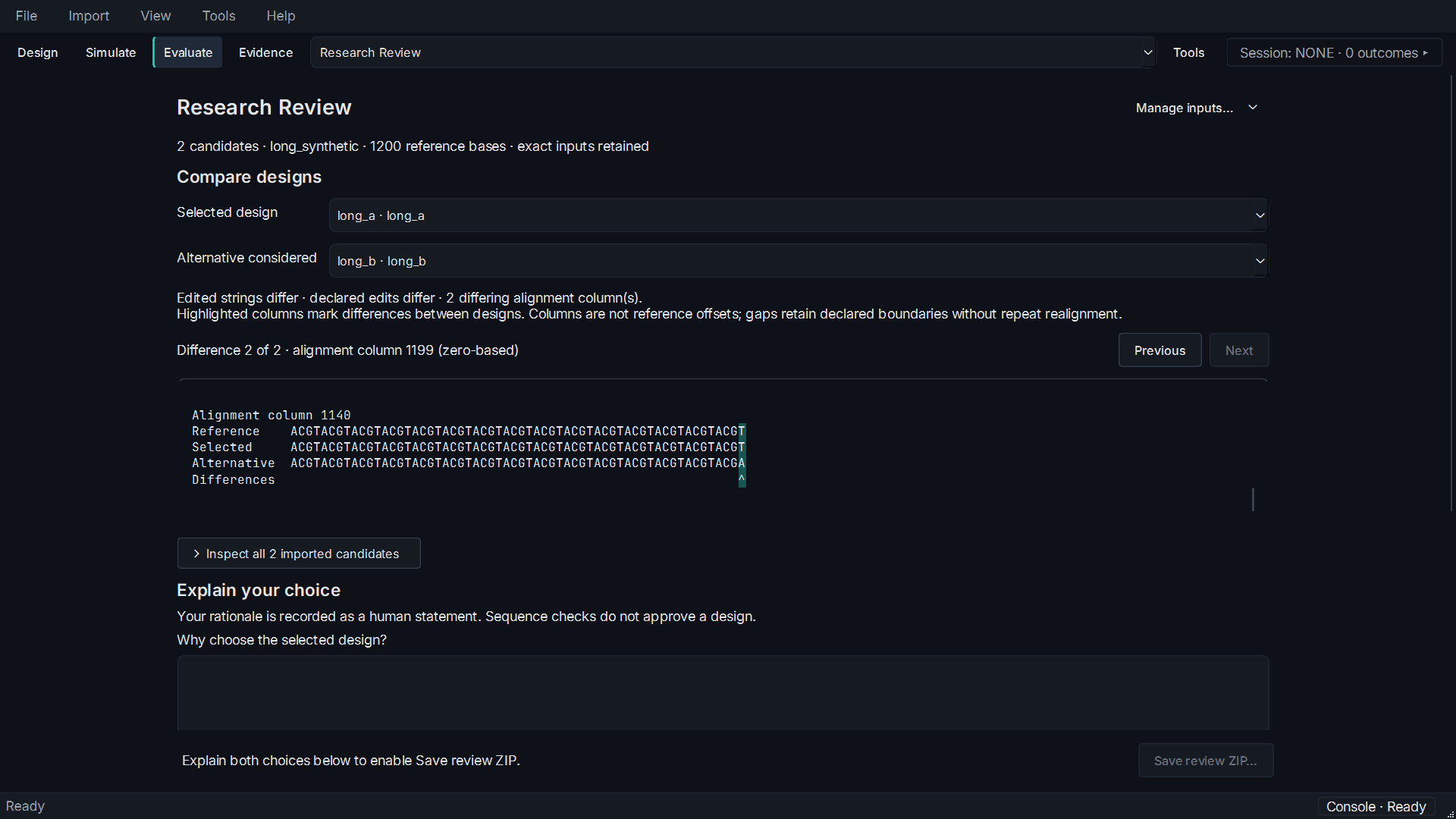
Compare declared sequence designs
Synthetic candidate definitions are compared under explicit alignment rules. The vertical highlight and labeled caret identify differing columns; no predictive preference is inferred.
PNG original · Lossless WebP · 1920 × 1080
Keep human rationale with the inputs
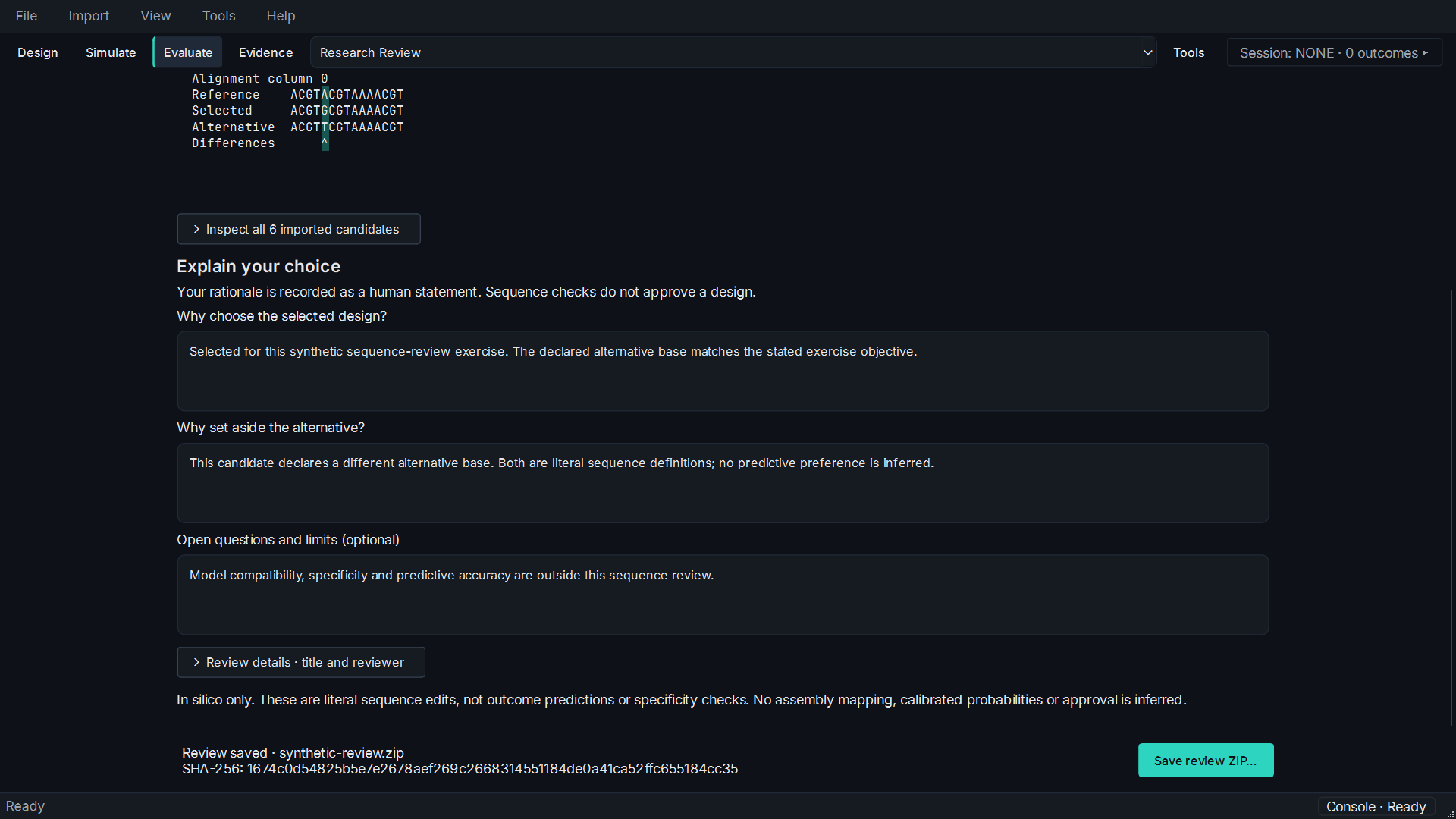
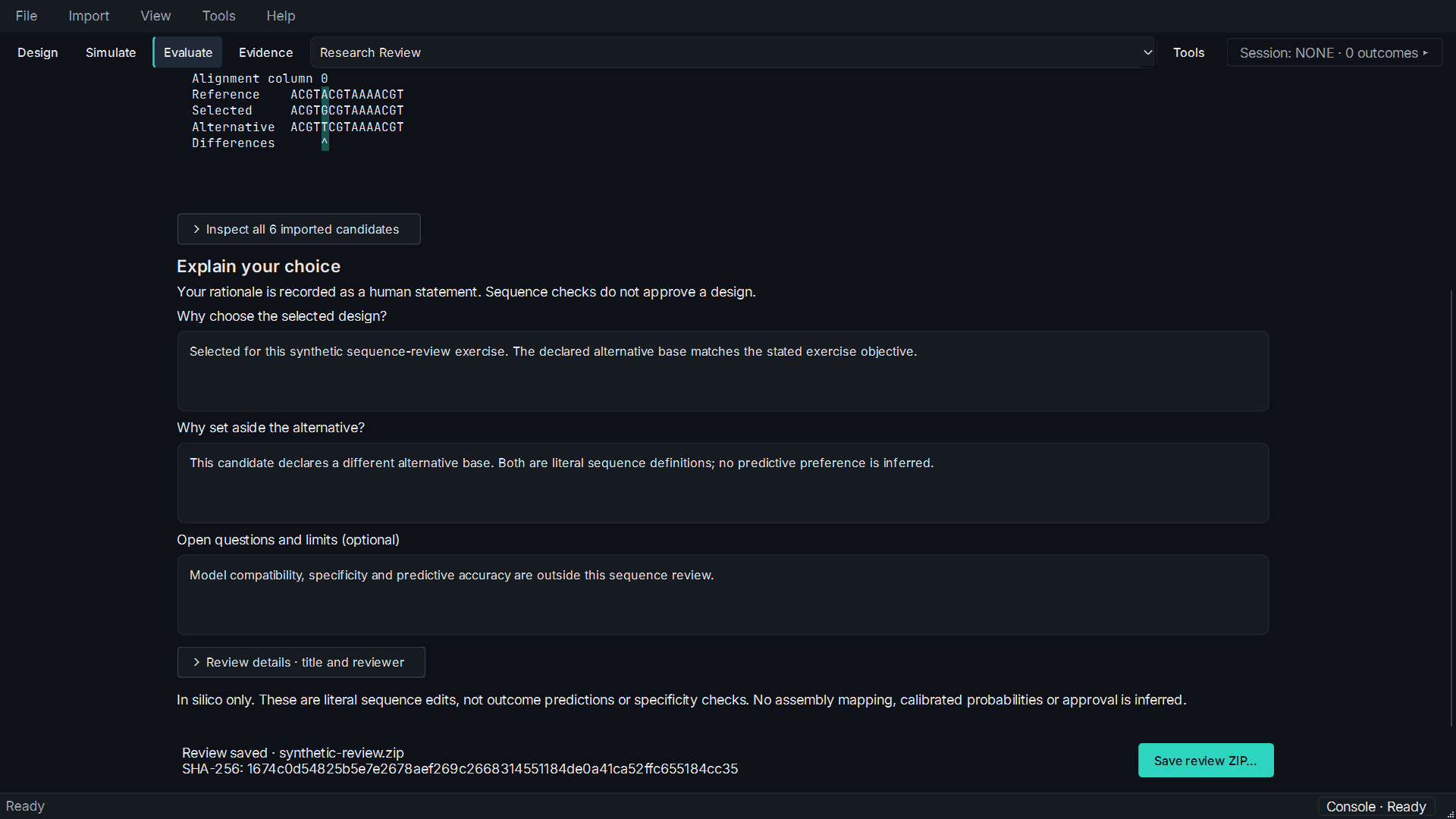
A synthetic review records human reasoning separately from computed sequence checks. The saved ZIP preserves exact inputs and a printable report; integrity is not authenticated authorship or approval.
PNG original · Lossless WebP · 1920 × 1080
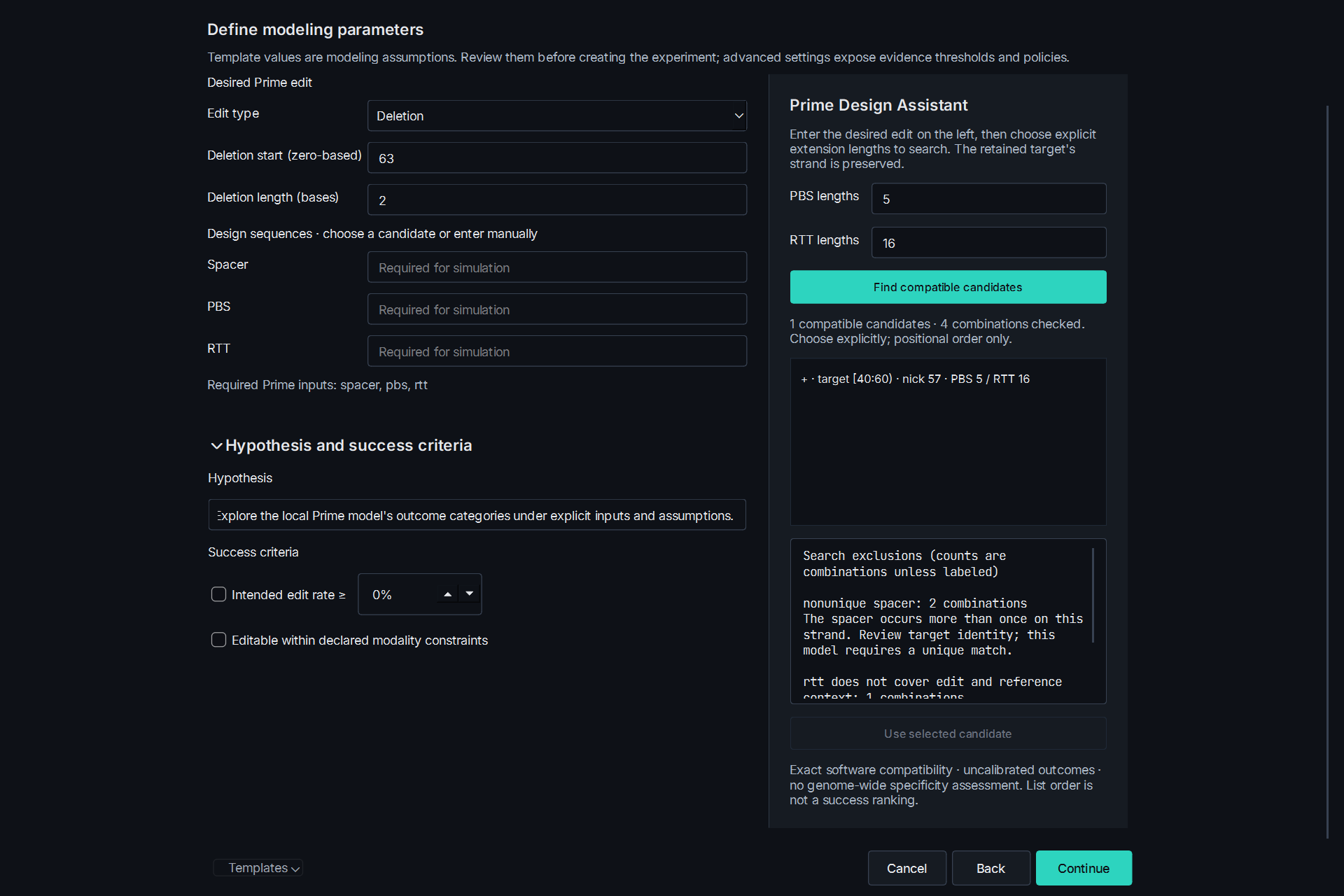
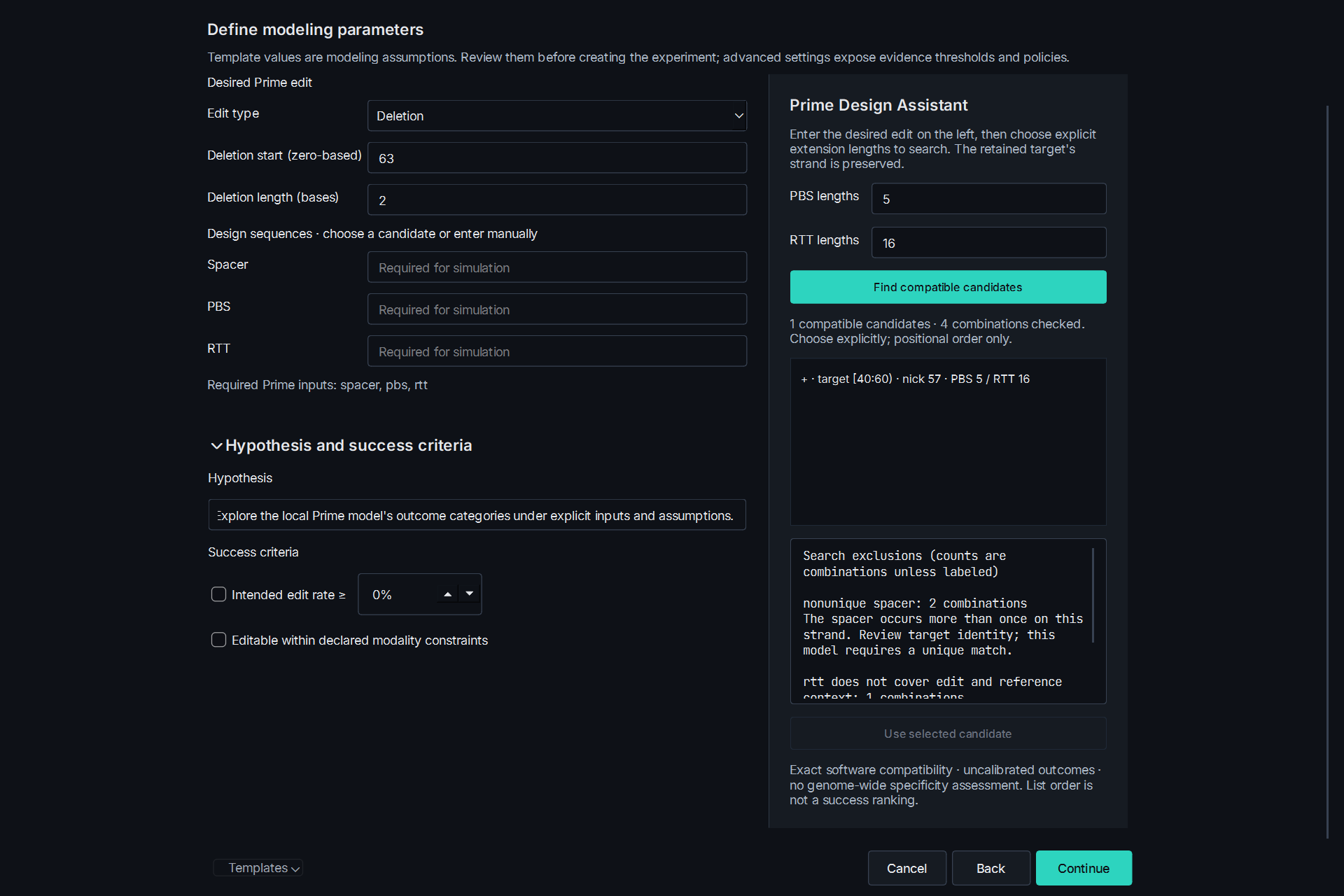
Inspect bounded candidate generation
The Prime Design Assistant shows candidates generated from a retained synthetic reference and explicit input constraints. Generation does not select a candidate or establish predictive accuracy.
PNG original · Lossless WebP · 1920 × 1280
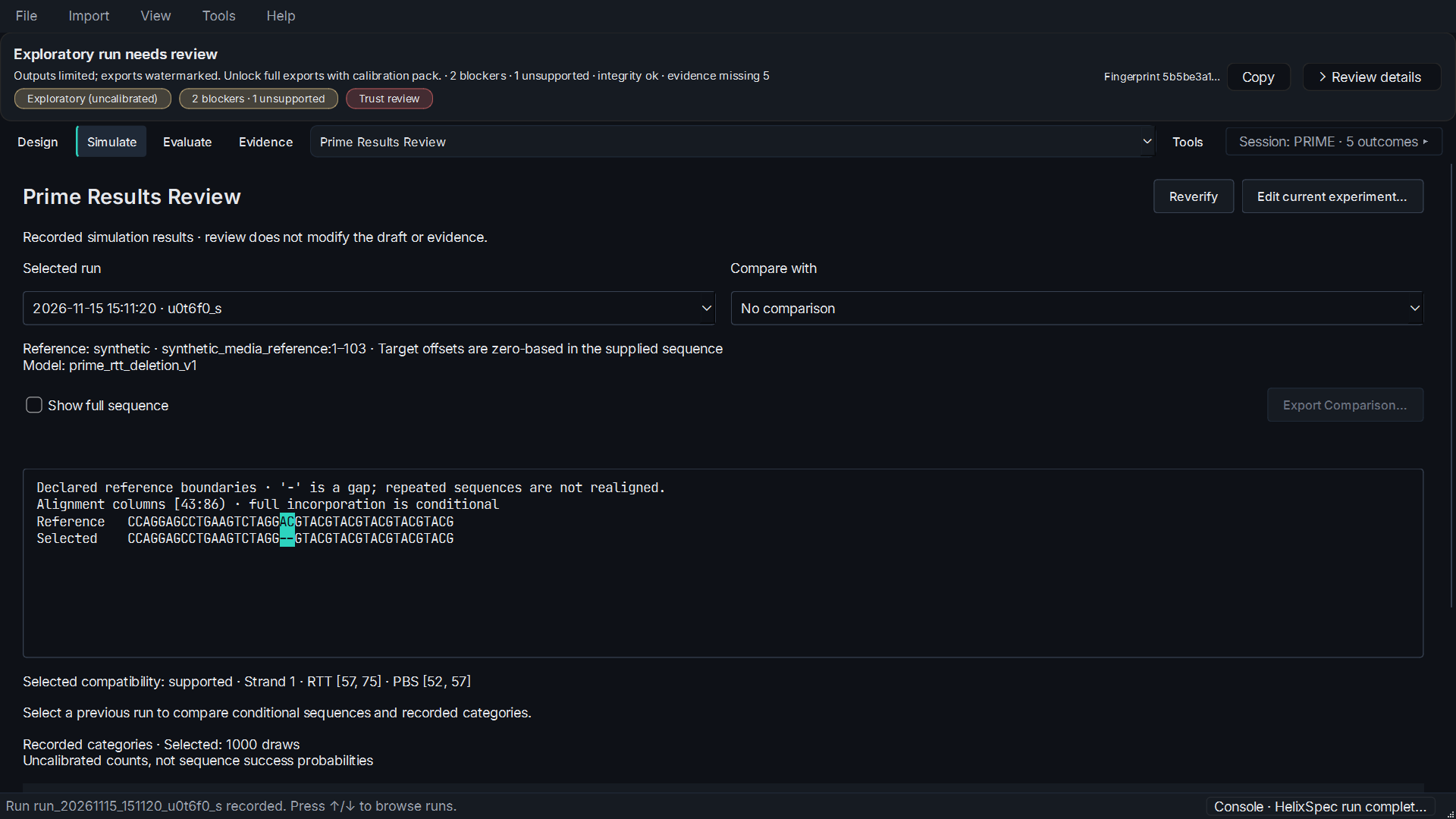
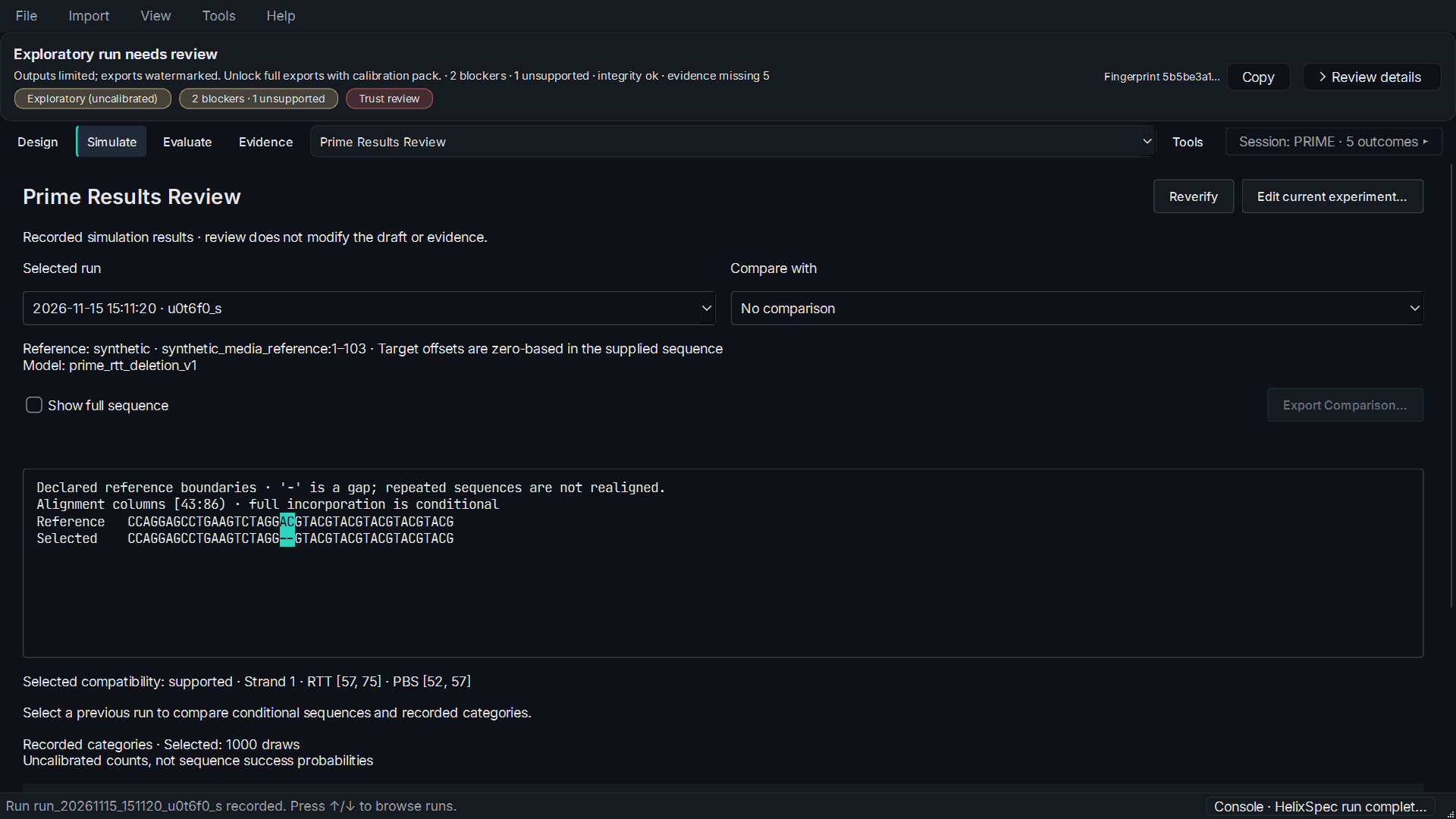
Review conditional model outputs
Prime Results Review shows a conditional sequence from a synthetic simulation alongside model compatibility and uncalibrated category counts. This is software demonstration evidence, not measured predictive accuracy.
PNG original · Lossless WebP · 1920 × 1080
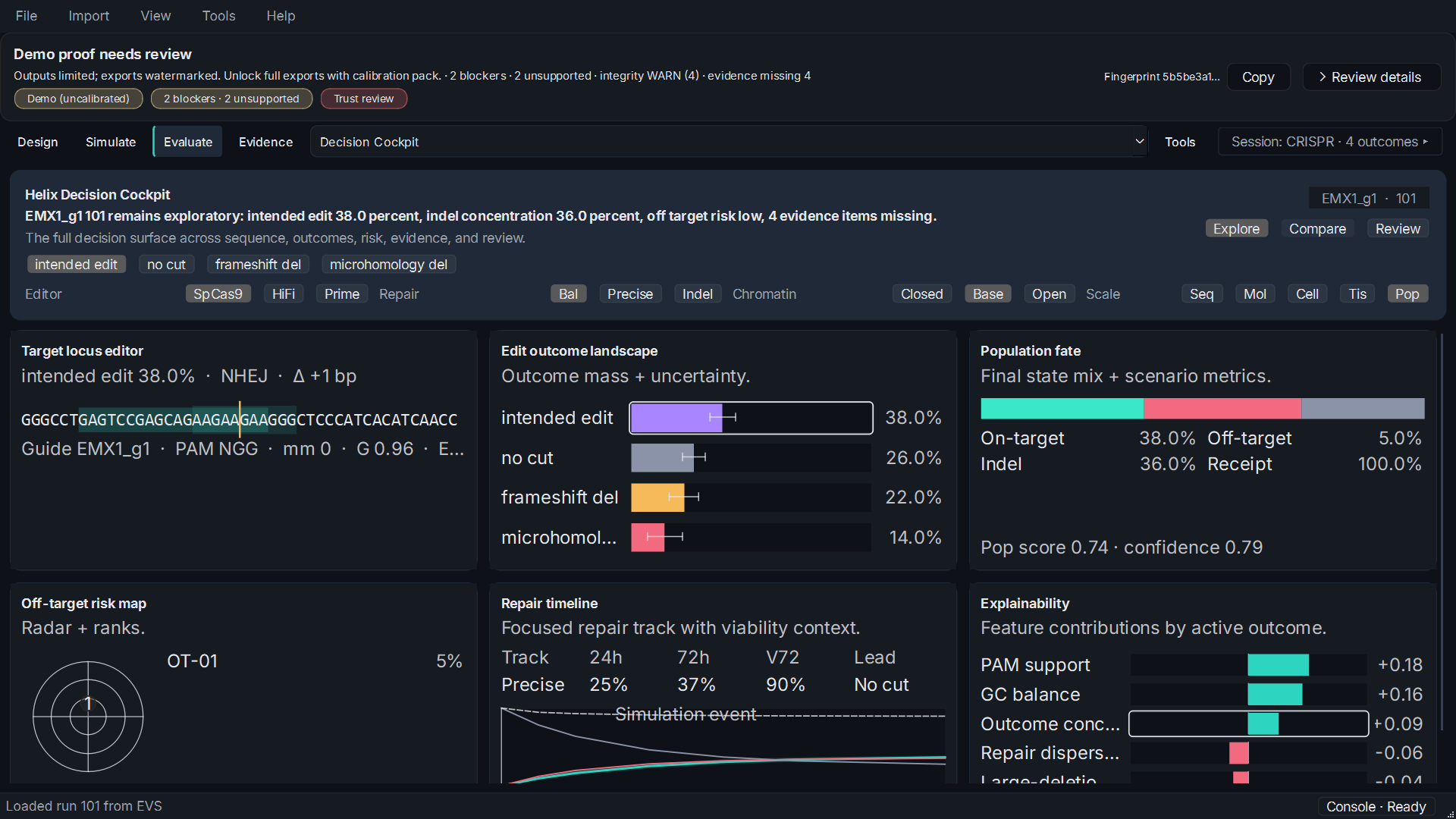
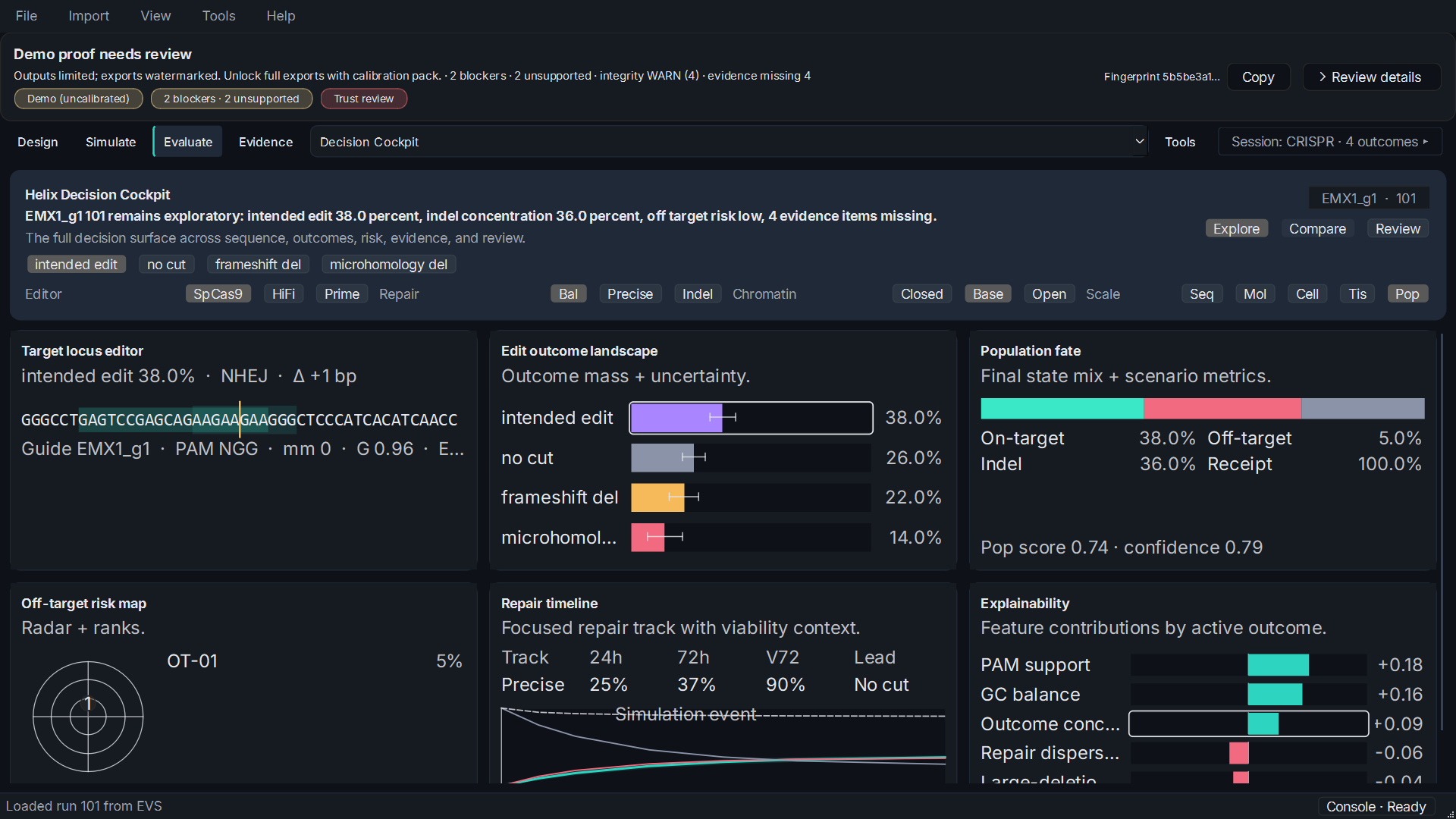
Inspect the demonstration workspace
Studio displays the packaged exploratory CRISPR demonstration, with simulated outcomes and visible model/evidence warnings. The demonstration does not establish calibration or decision readiness.
PNG original · Lossless WebP · 1920 × 1080